Scheduled Consultations [WATCH VIDEO ]
CharmEasyCare is an intuitive online appointment booking platform that allows Patients to seamlessly schedule appointments with the Providers from the Practice's website. The interface is user-friendly and includes advanced search and filter options to assist Patients in locating and scheduling appointments with the appropriate Providers based on their specialty and availability.
This guide explains the Appointment Scheduling workflow, focusing on how Practice Admins can configure Providers for online scheduling and how Patients can book doctor appointments online.
Configuring Providers for Scheduled Appointments
The Practice Admin or Office Manager can follow these steps to configure Providers for CharmEasyCare scheduled appointments.
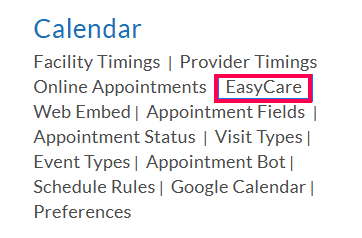
- Navigate to Settings > Calendar > [Practice Name].
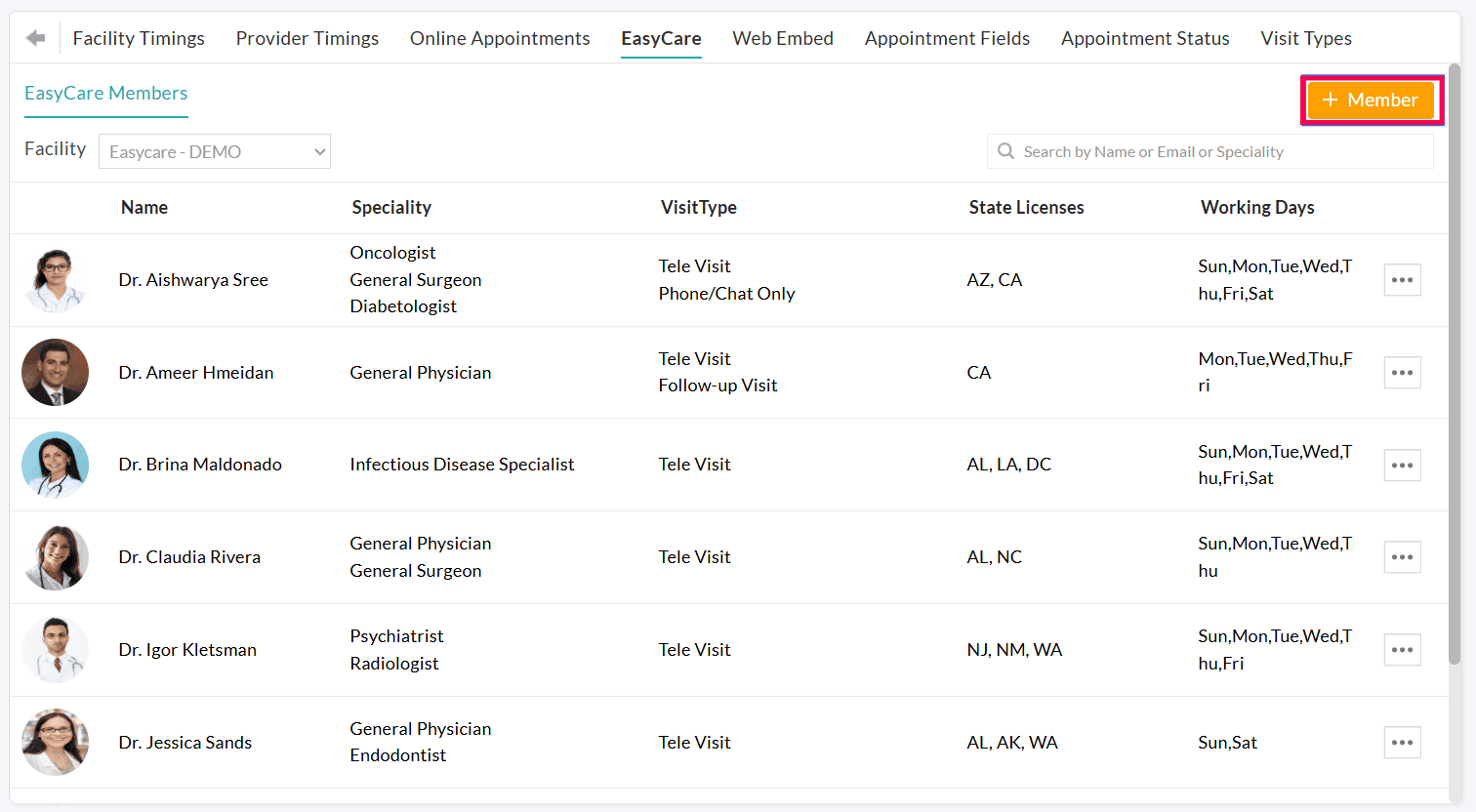
- Click the '+ Member' button to add a Provider to CharmEasyCare.
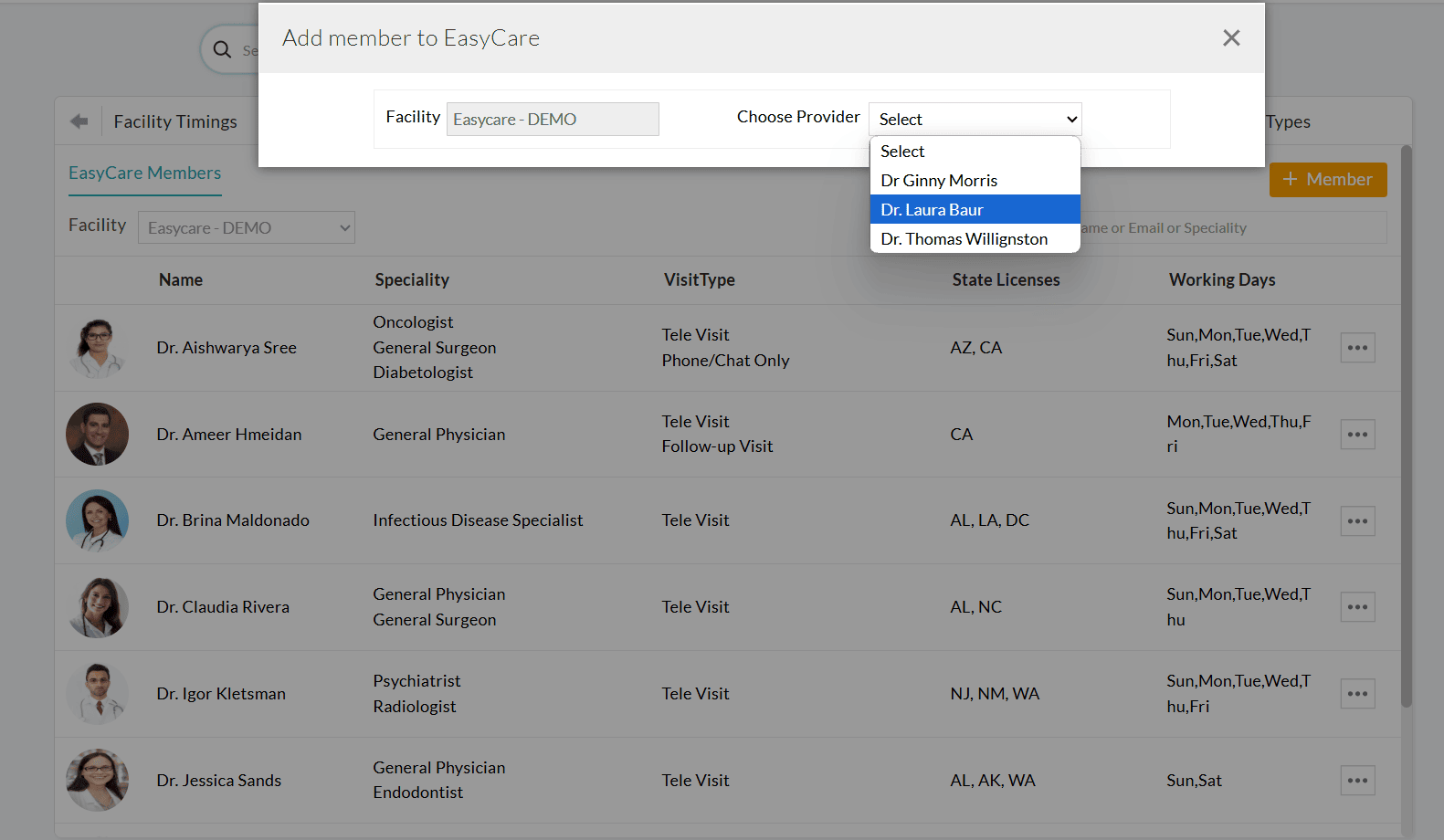
- Select the desired Provider from the drop-down list.
- In the 'Introduction' section, provide a short bio for the Provider and choose relevant specialties.
- Choose the Visit Types allowed for booking and also mention the duration of each Visit Type.
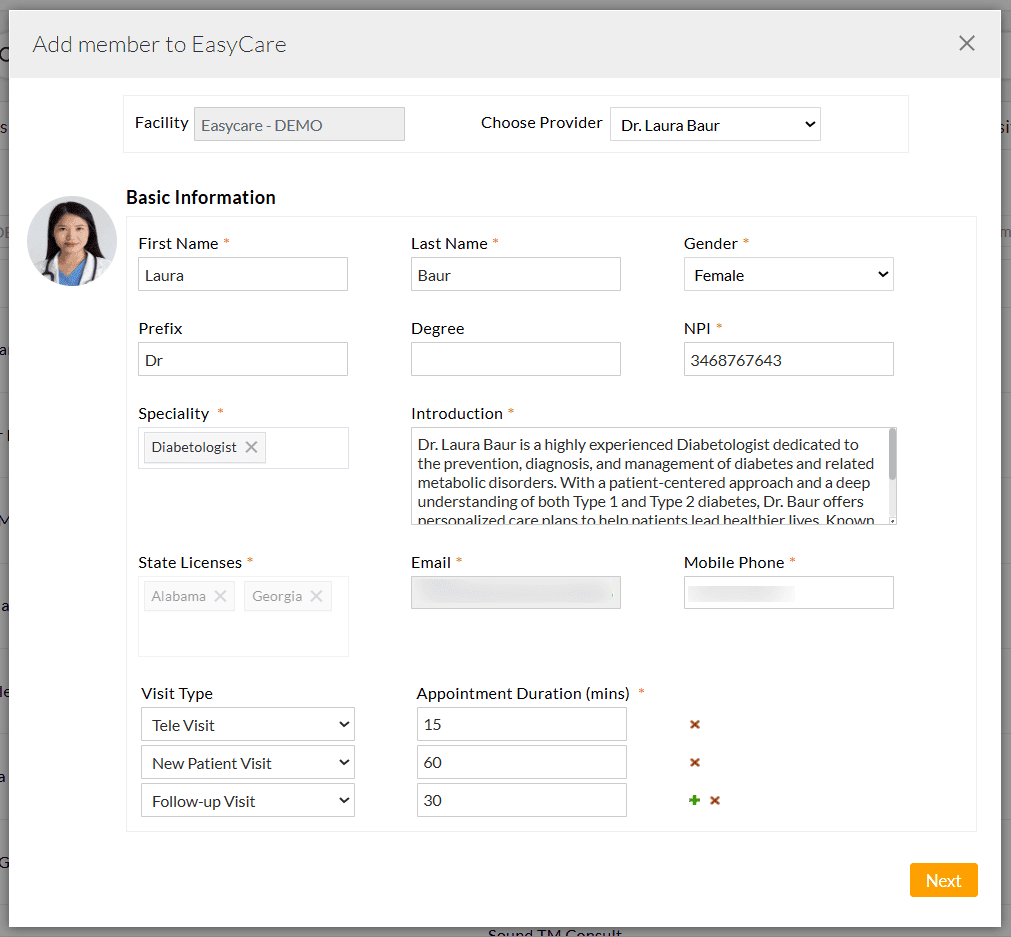
- Click 'Next' to proceed to fill in the profile preferences.
i. Profile Preferences
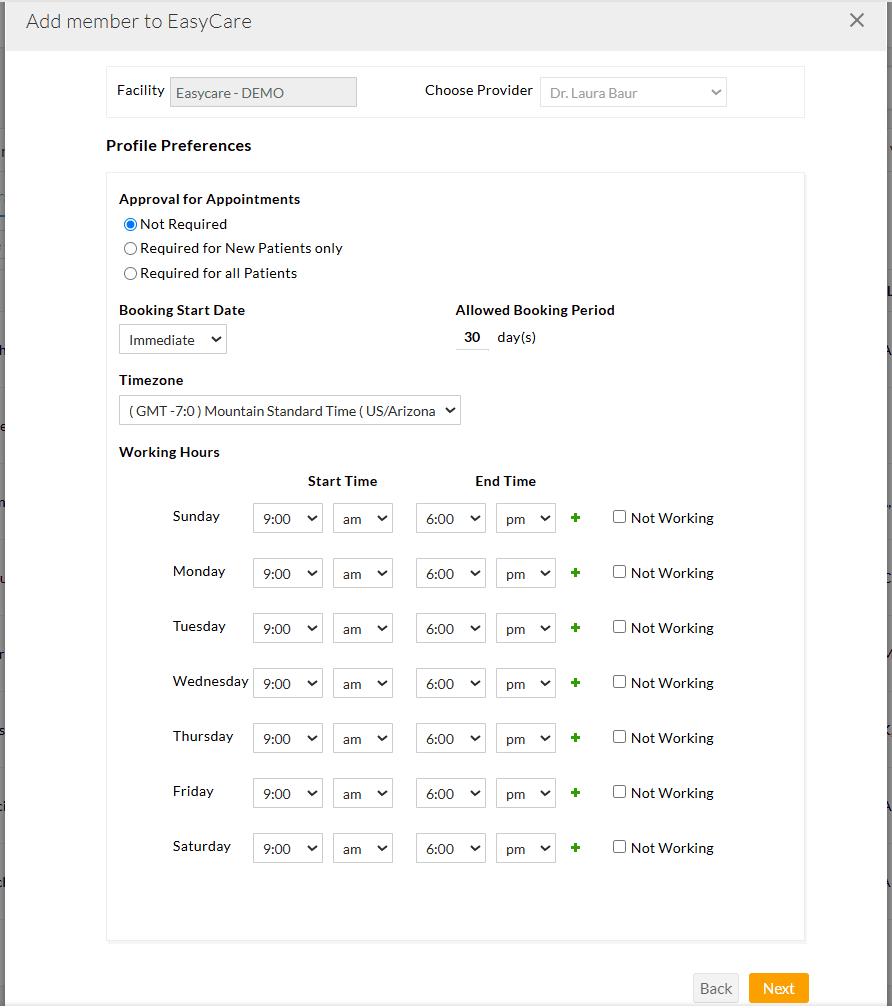
- Appointment Approval Settings: Choose whether the appointments require approval for:
- All Patients
- Only new Patients
- No approval needed
ii. Availability and Booking Settings
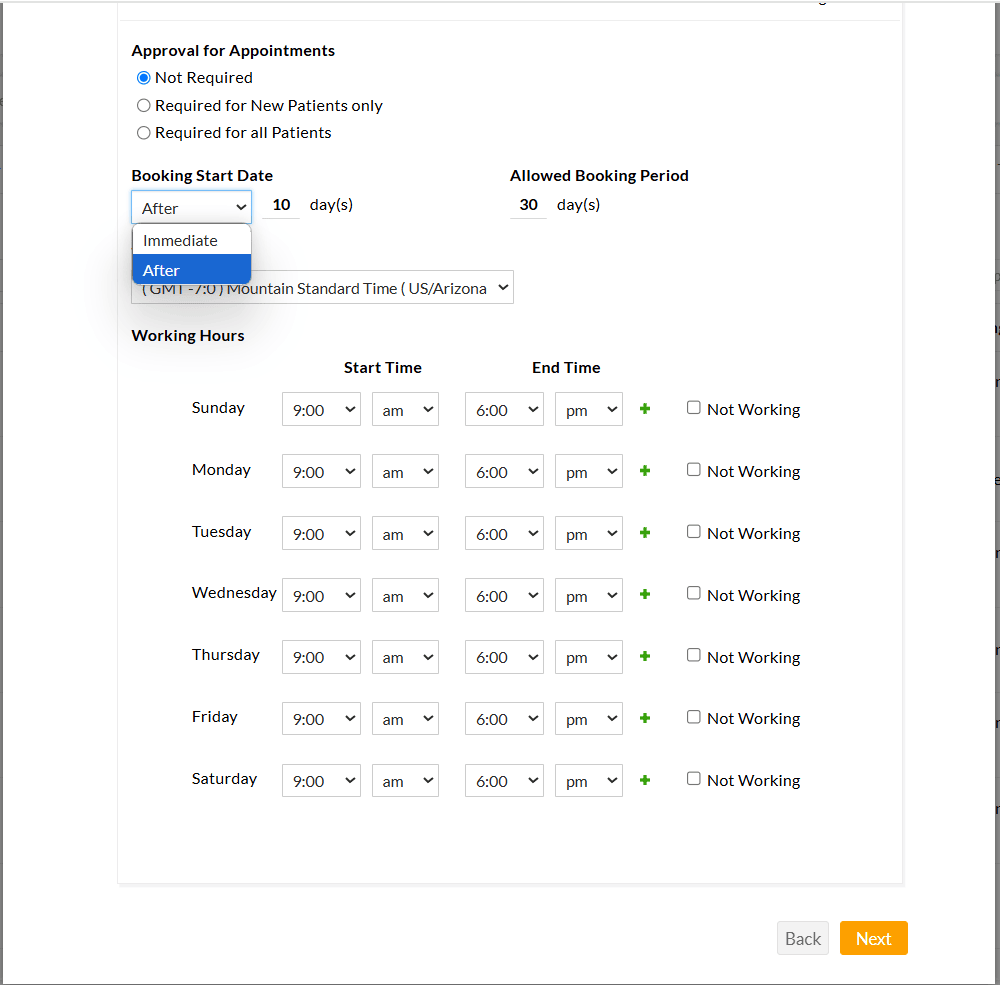
- Use the 'Booking Start Date' option to configure how early Patients can book an appointment with this Provider.
- Use the 'Allowed Booking Period' option to limit the number of days for which appointment slots are open for booking.
- Set the Provider's time zone and working hours.
iii. Additional Provider Information
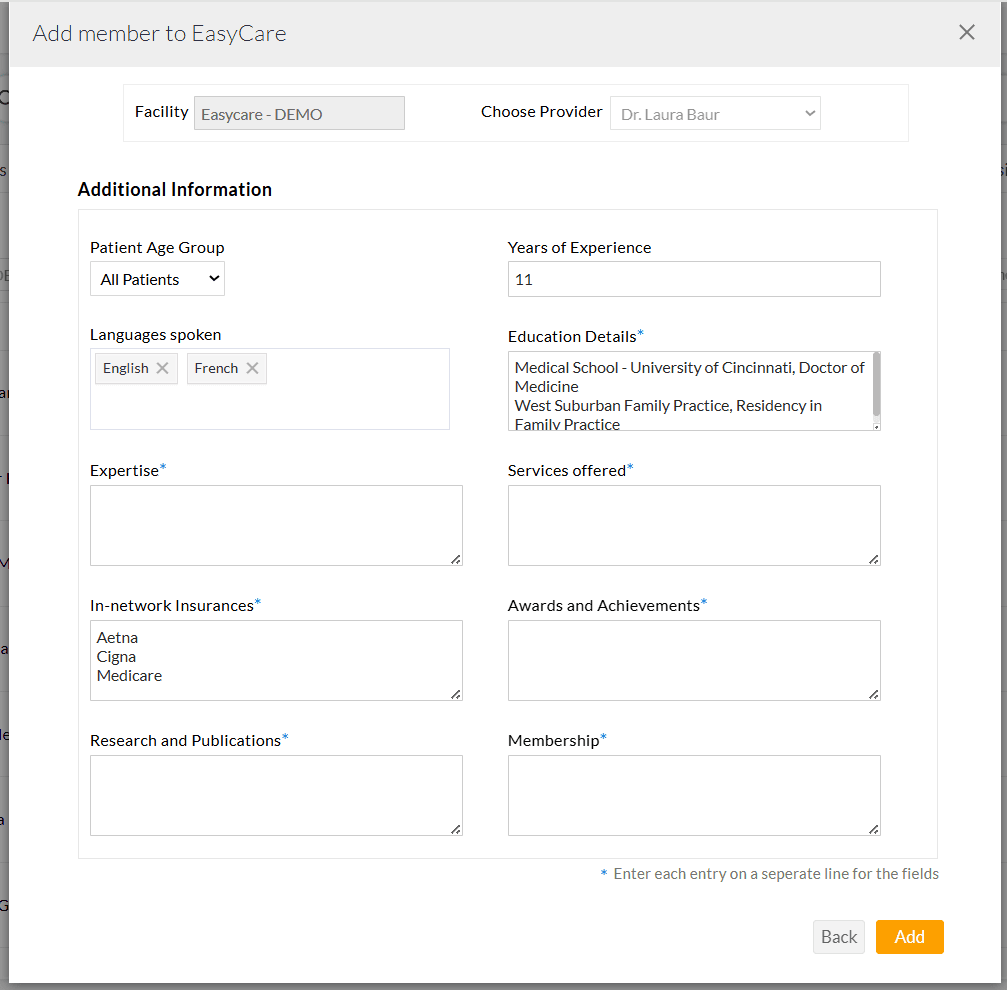
If needed, utilize the 'Patient Age Group' setting to restrict which age groups can book appointments with the Provider. - Appointment Approval Settings: Choose whether the appointments require approval for:
- You can also provide the additional details below to enhance the Provider's profile.
- Years of Experience
- Languages Spoken
- Educational Details
- Areas of Expertise
- Services Offered
- In-Network Insurances
Note: Practices can include only Payers added under the 'Settings > Billing-Claims > Payers' section.
- Awards & Achievements
- Research & Publications
- Professional Memberships
Enter each item on a new line for clear display on the Provider's profile.
- Click on the 'Add' button to save the Provider's profile.
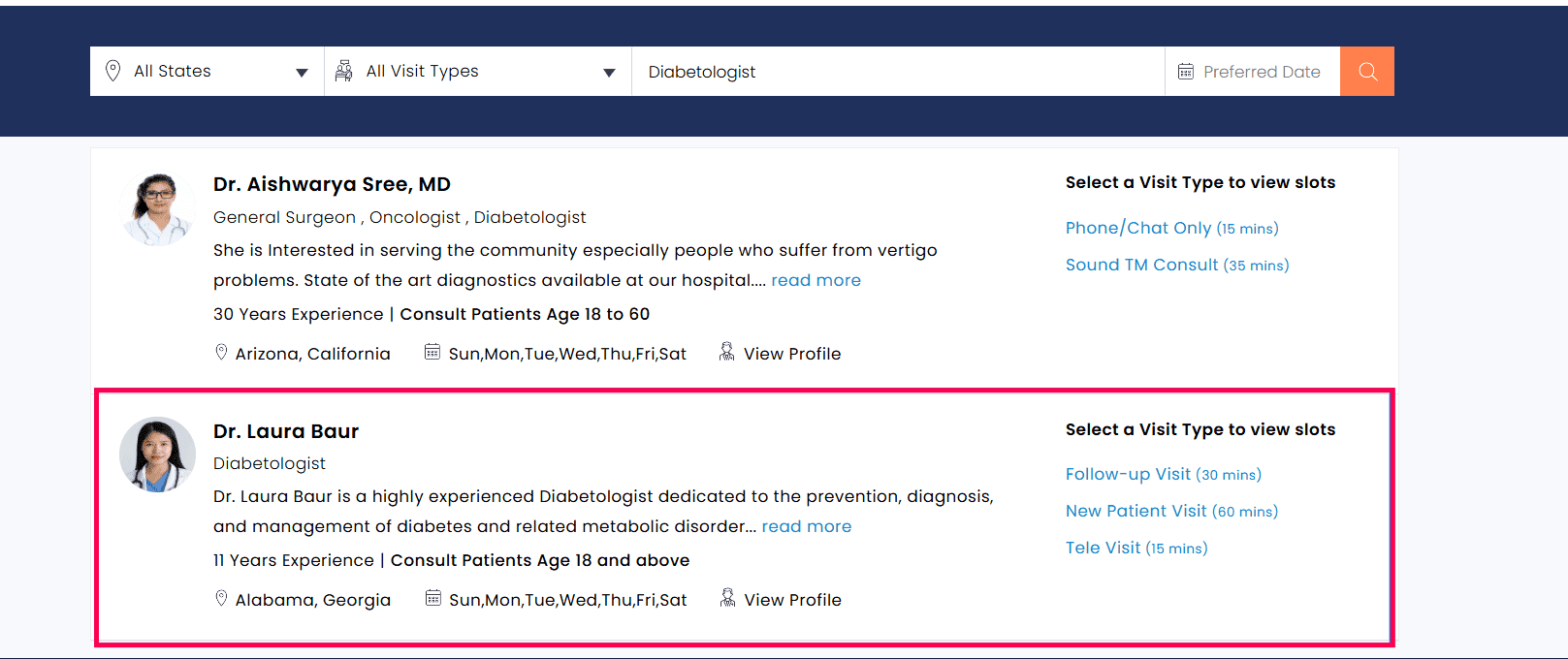
Once configured, the Providers are displayed on the Practice’s CharmEasyCare-enabled website for Patients to schedule appointments.
Manage Provider Listing in CharmEasyCare Calendar
Practices can manage Provider visibility in the CharmEasyCare calendar with greater flexibility.
Providers can be temporarily hidden by marking them as Inactive when they are unavailable for consultations and made Active again when they are ready to consult Patients. This ensures that only available Providers are displayed on the Practice’s CharmEasyCare website for Patients to book appointments.
To update a Provider’s status, navigate to 'Settings > Calendar > [Practice Name]', click the 'More Options' (...) icon next to the member, and select 'Make Active' or 'Make Inactive' as needed.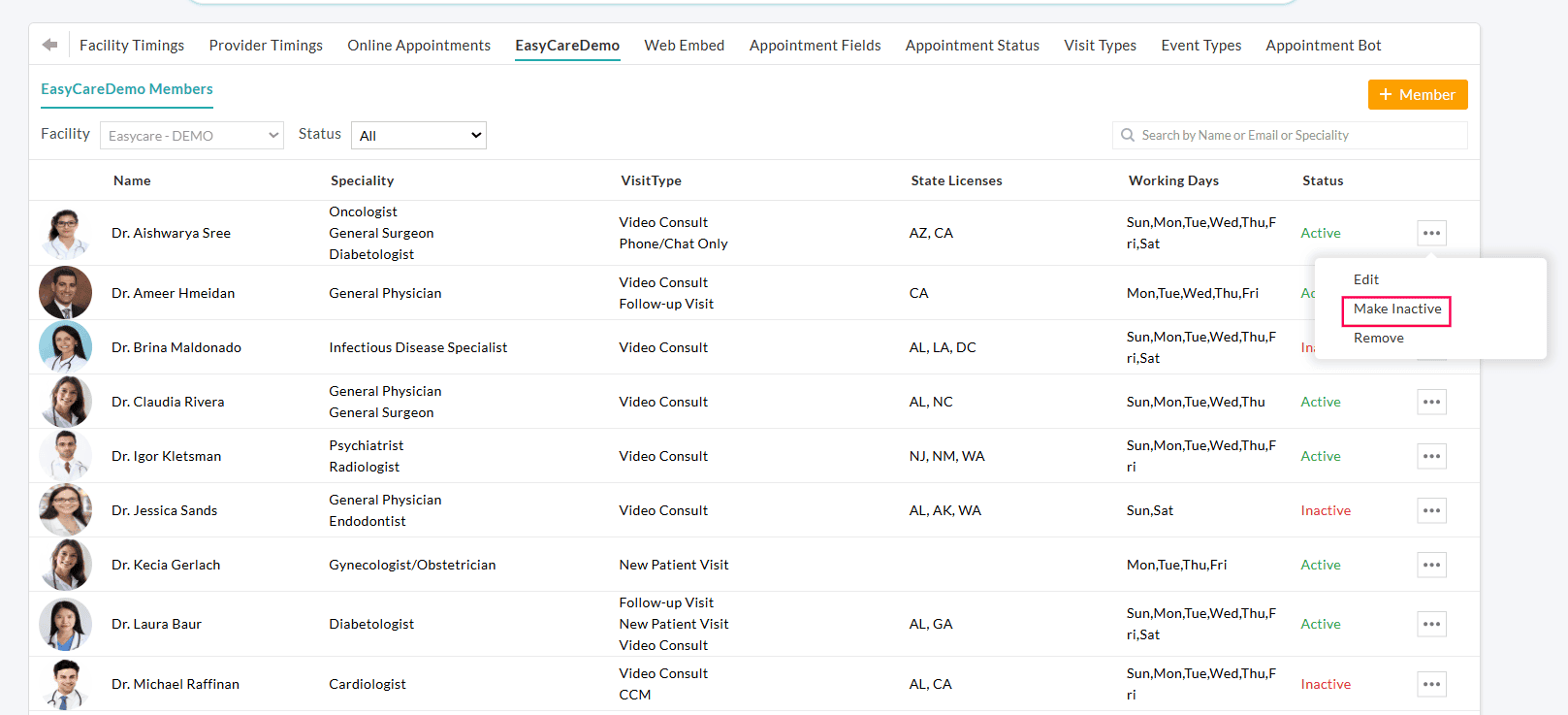
Additionally, Practices can filter Facility Members onboarded to CharmEasyCare by their status, making it easier to identify members enabled for Scheduled Consultations. You can use the 'Status' filter to view All, Active, or Inactive members.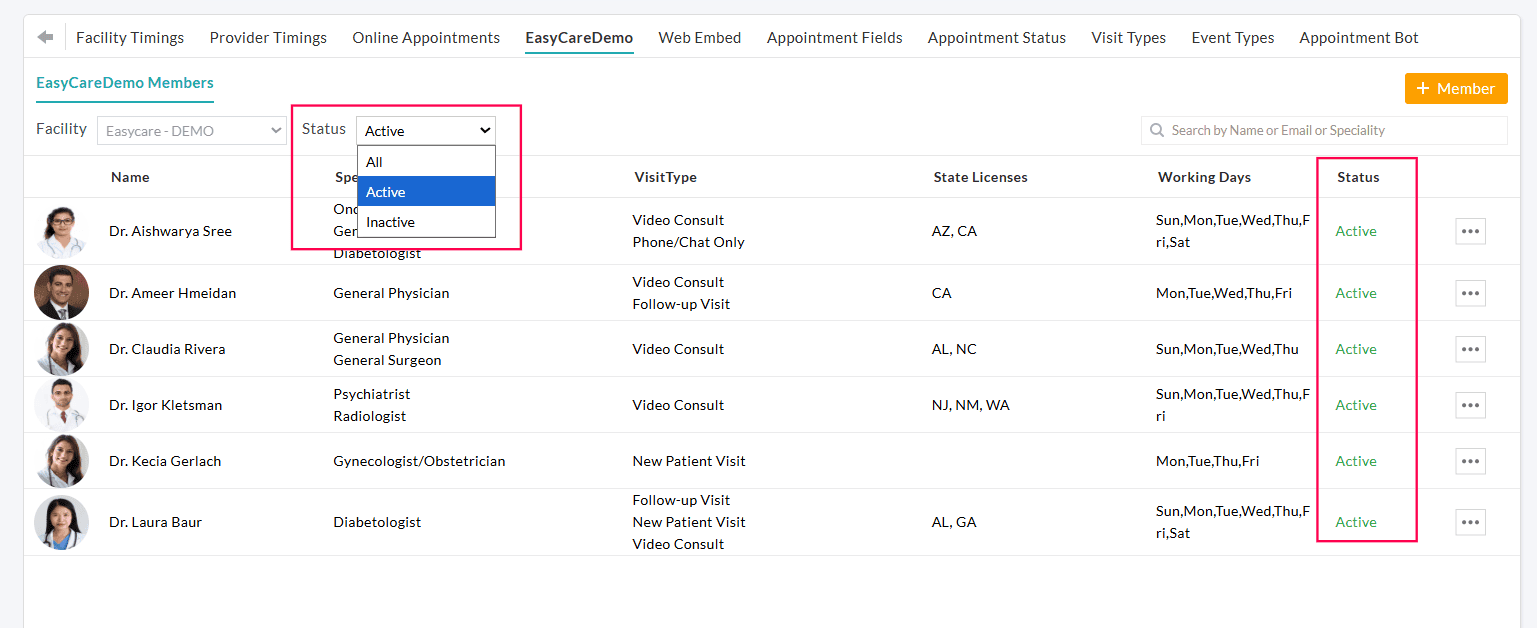
How Patients Book Appointments
Once CharmEasyCare is enabled for the Practice and the Providers are configured, Patients can access the appointment booking interface from the Practice’s website.
When Patients visit the Practice website, the CharmEasyCare calendar automatically detects the Patient’s location and selects the appropriate State so that only Providers licensed for that State are listed for booking.
Patients can narrow down the list of Providers using filters such as:
- Specialty
- Visit Type
- Preferred Appointment Dates
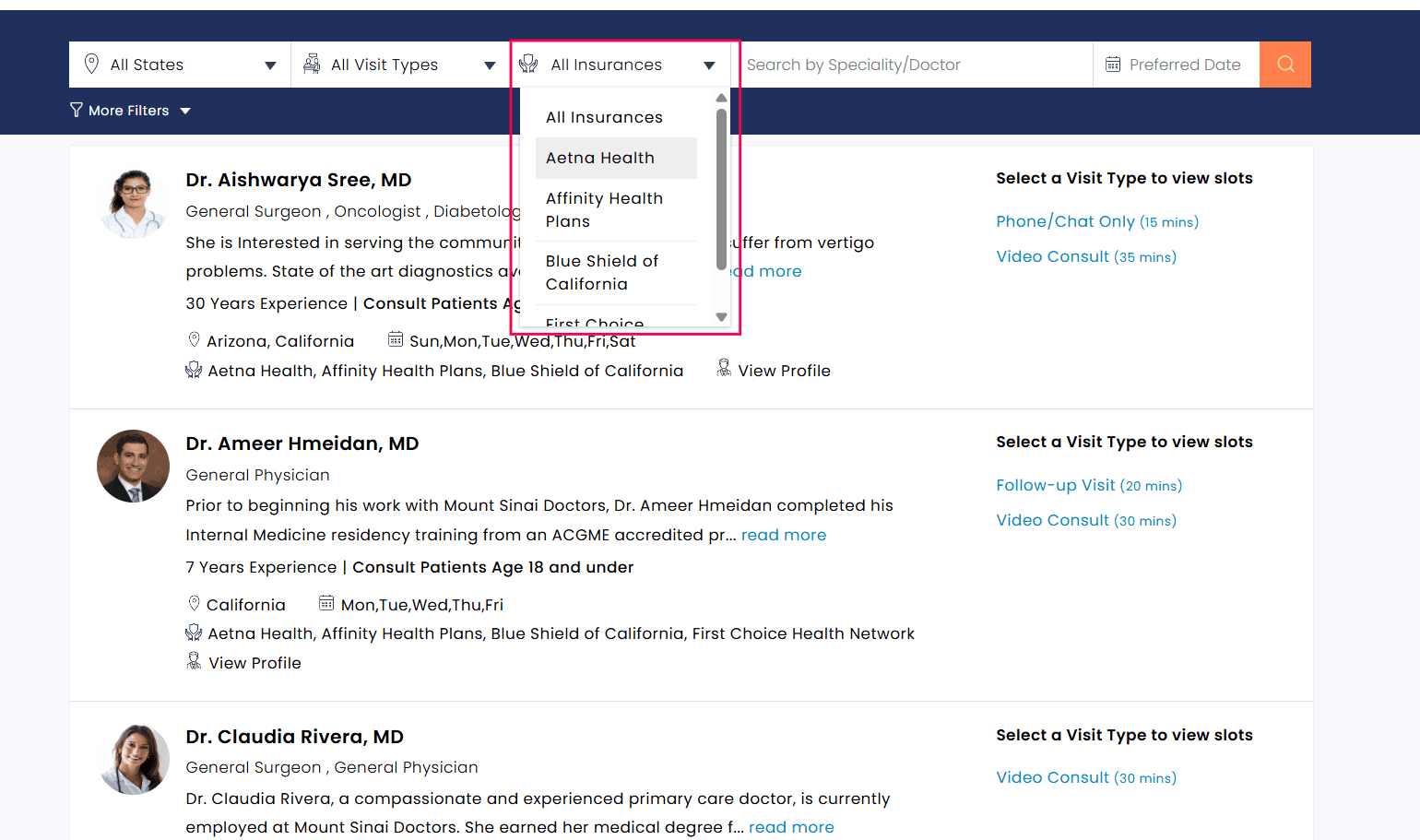
- Filter Providers by Insurance
Patients can search for Providers based on supported Insurance Payers. Only the Payers configured for each Provider during onboarding are displayed, and the same list is also shown within the Provider’s profile during appointment booking.
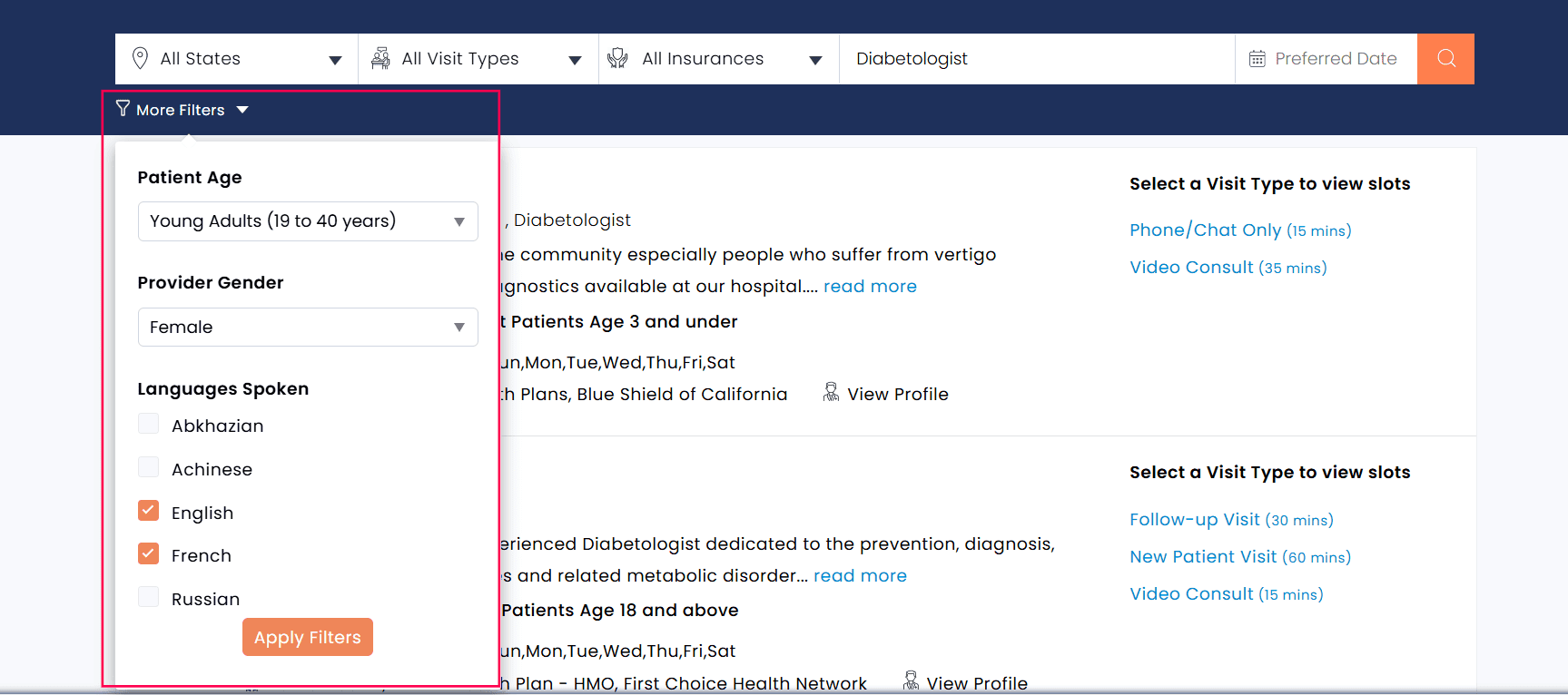
- Filter Providers by Patient Age
Patients can filter Providers by the age group they serve, such as children (0–12) or adolescents (13–18)
- Filter Providers by Gender
Filter Providers based on gender preference. This option helps Patients choose Providers they are more comfortable with, supporting a more personalized and patient-centric care experience.
- Filter Providers by Languages Spoken
Select Providers who speak the Patient’s preferred language. This enables Patients to communicate effectively during consultations, minimizing language barriers and ensuring a better understanding of medical concerns and treatment plans.
Providers are listed based on the specified filter criteria along with their next available appointment slots. Patients can also view a snapshot of each Provider and use the 'View Profile' link to explore more in-depth information.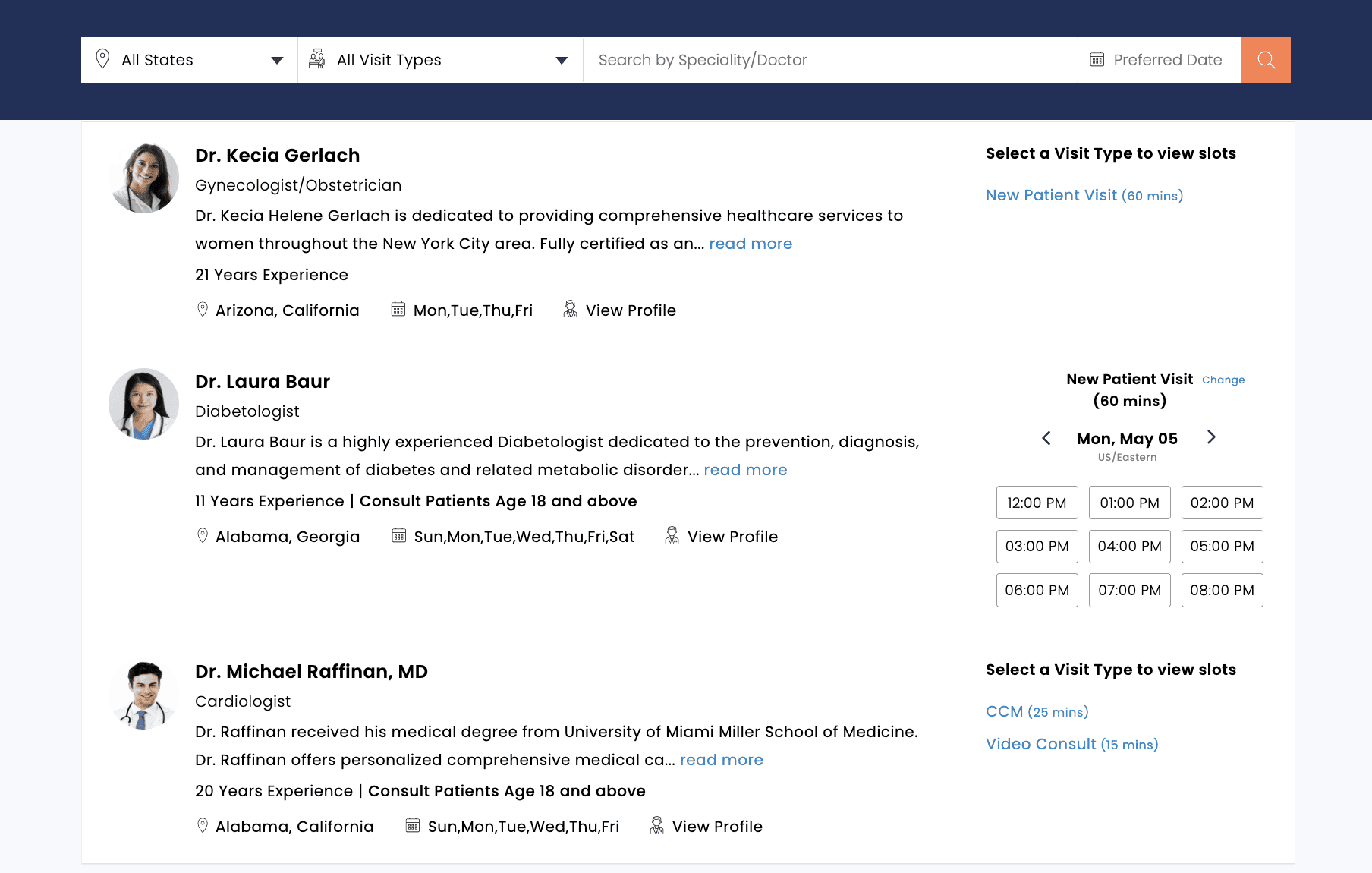
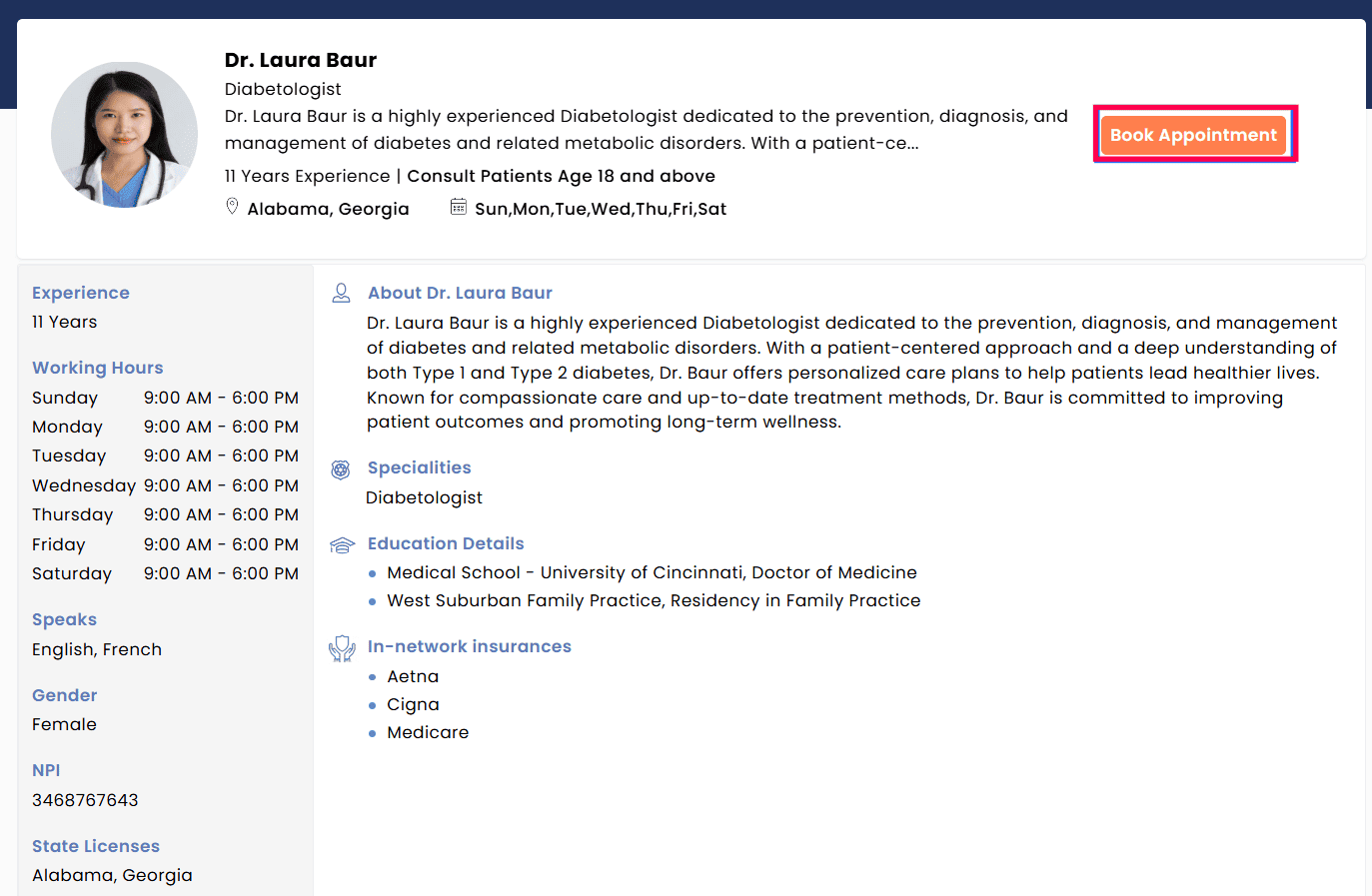
- To book an appointment, Patients can either click on the required appointment slot shown next to the Provider or use the 'Book Appointment' button available within the Provider's profile page.
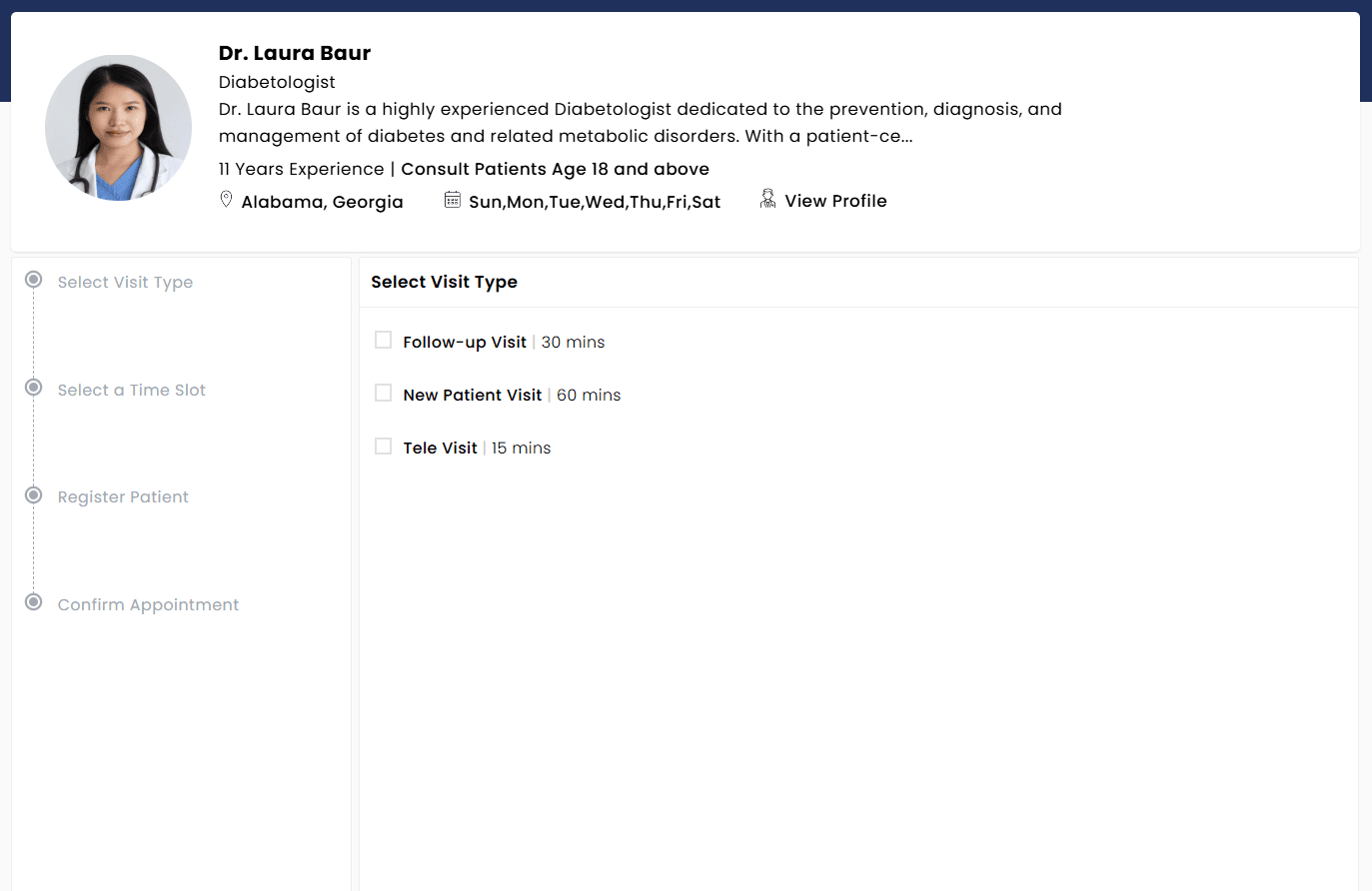
- Select the required Visit Type (if configured for the Provider).
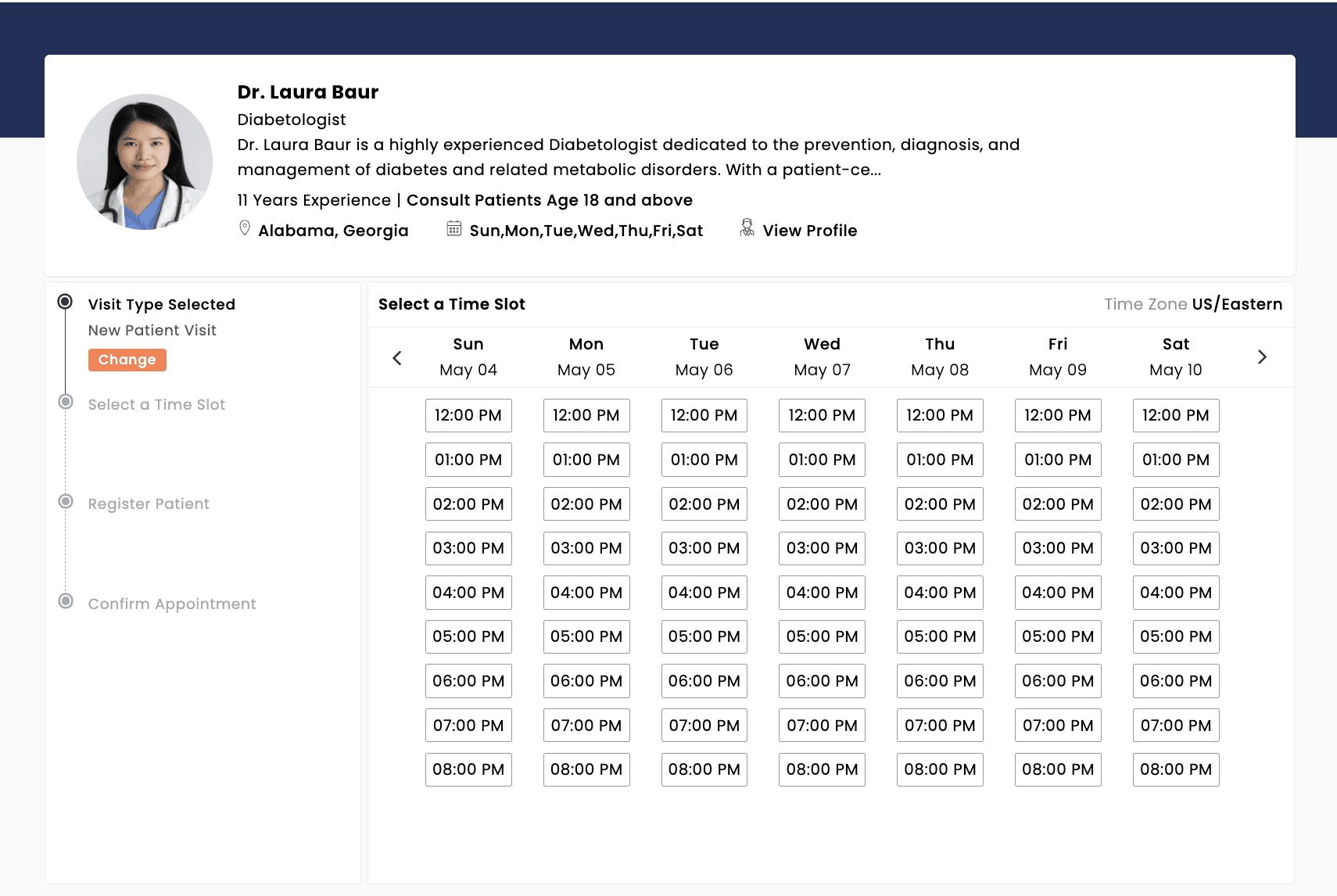
- Choose the preferred date and time from the Provider's available slots.
- On selecting the slot, the Patients are prompted to enter their registered mobile number.
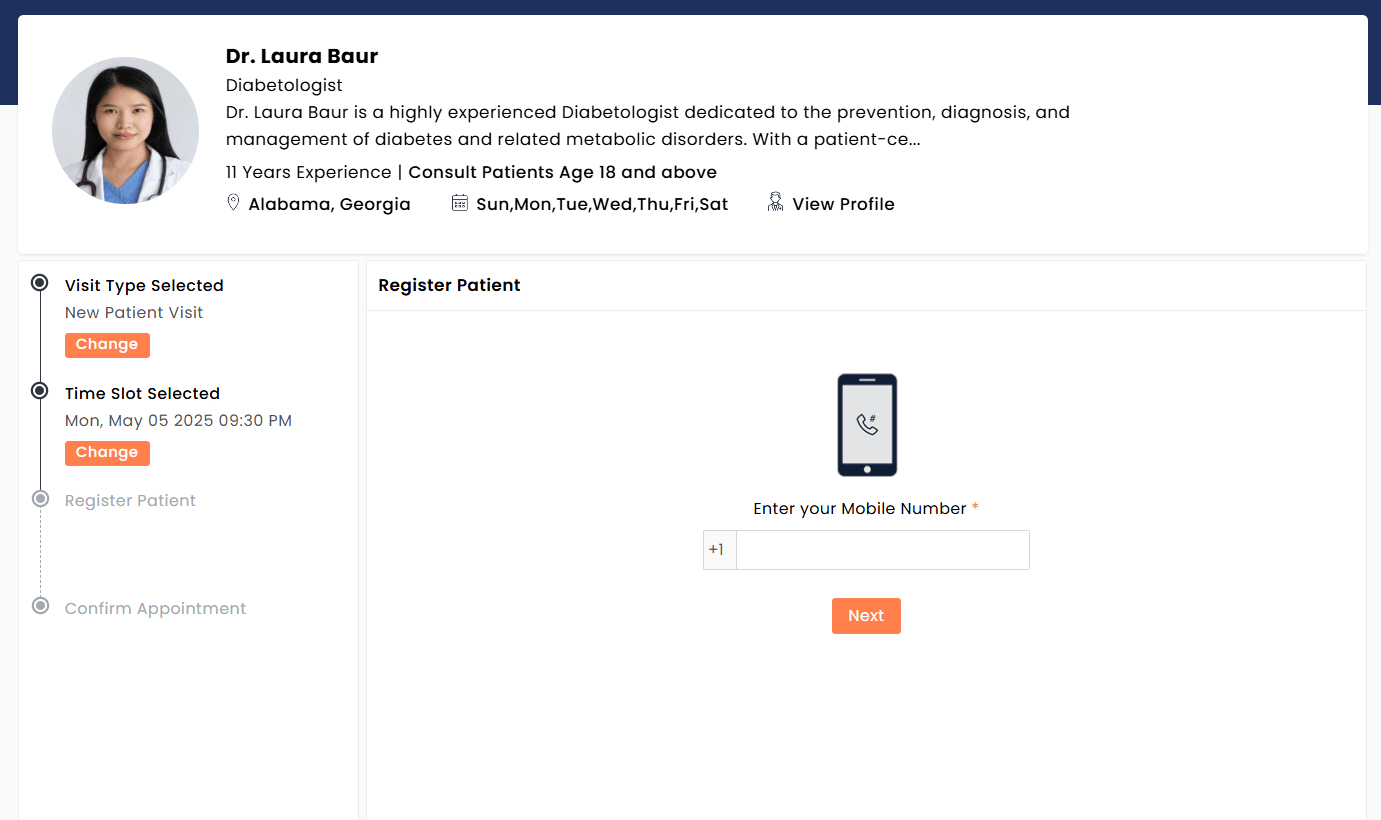
- An OTP is sent via SMS to the registered phone number for verification purposes.
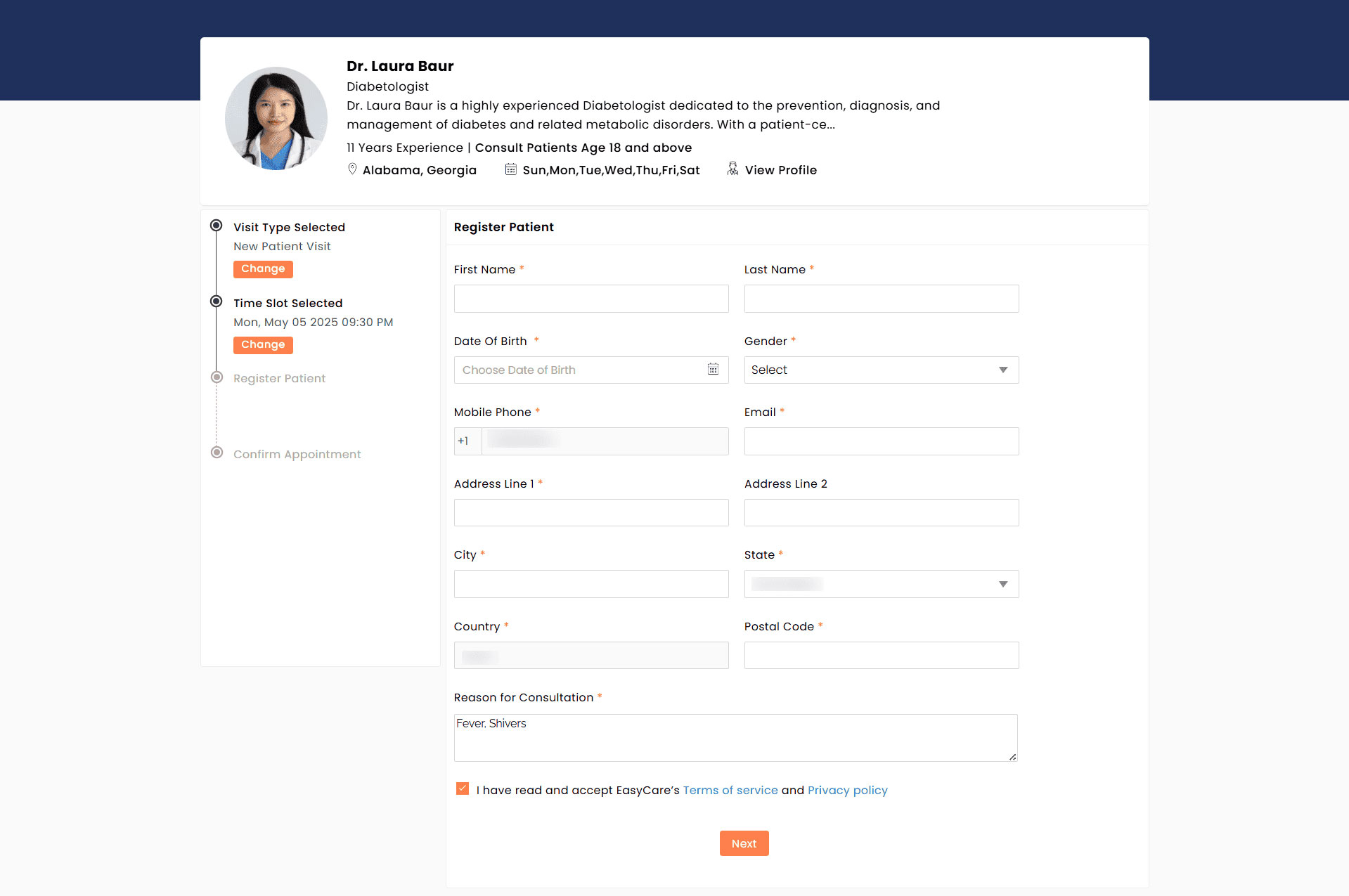
- If there is no Patient registered in the Practice with the provided mobile number, a registration form is displayed for the Patient to enter their details.
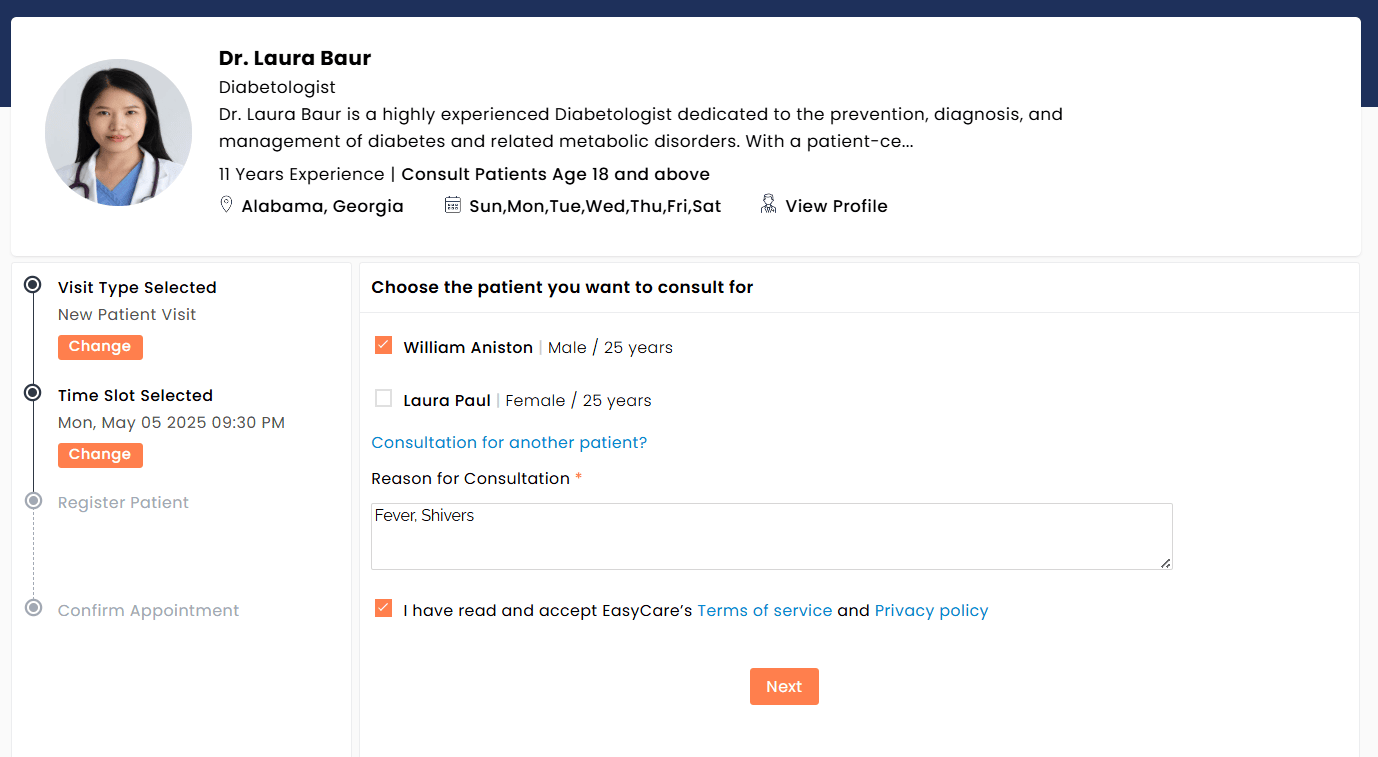
- If the mobile number matches the existing Patient records, they are listed for selection. If the appointment is being booked for someone else, the 'Consultation for another patient' option can be used to register a different individual.
- If the Patient is new to the Practice, they are prompted to enter their name, date of birth, gender, contact details, address, and the reason for consultation.
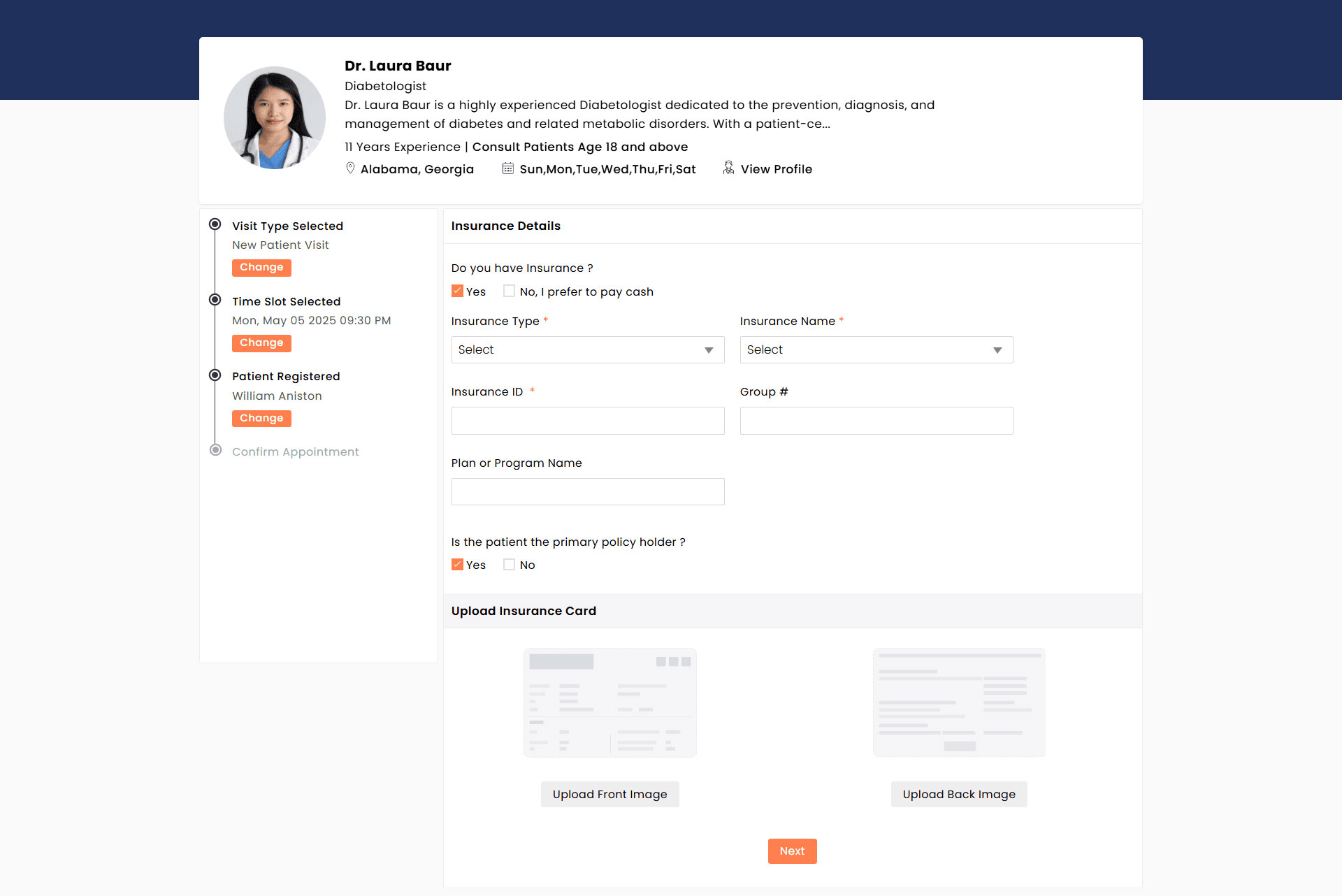
- If the Practices accept insurance, Patients get an option to enter their insurance details and upload the images of the insurance card.
- Patients can securely enter their card details, which are saved in the payment gateway for convenient use in future transactions.

- After verifying the details, Patients need to click on the 'Confirm' button to schedule the appointment.
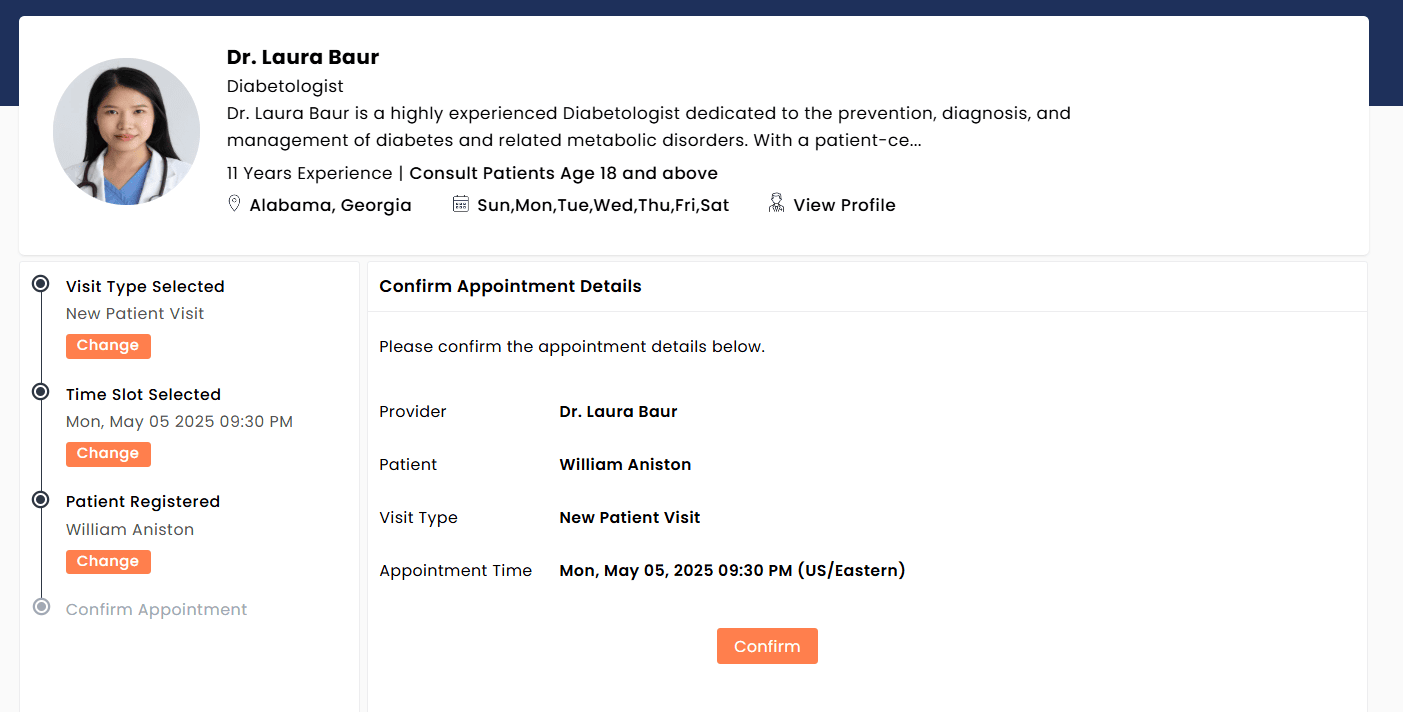
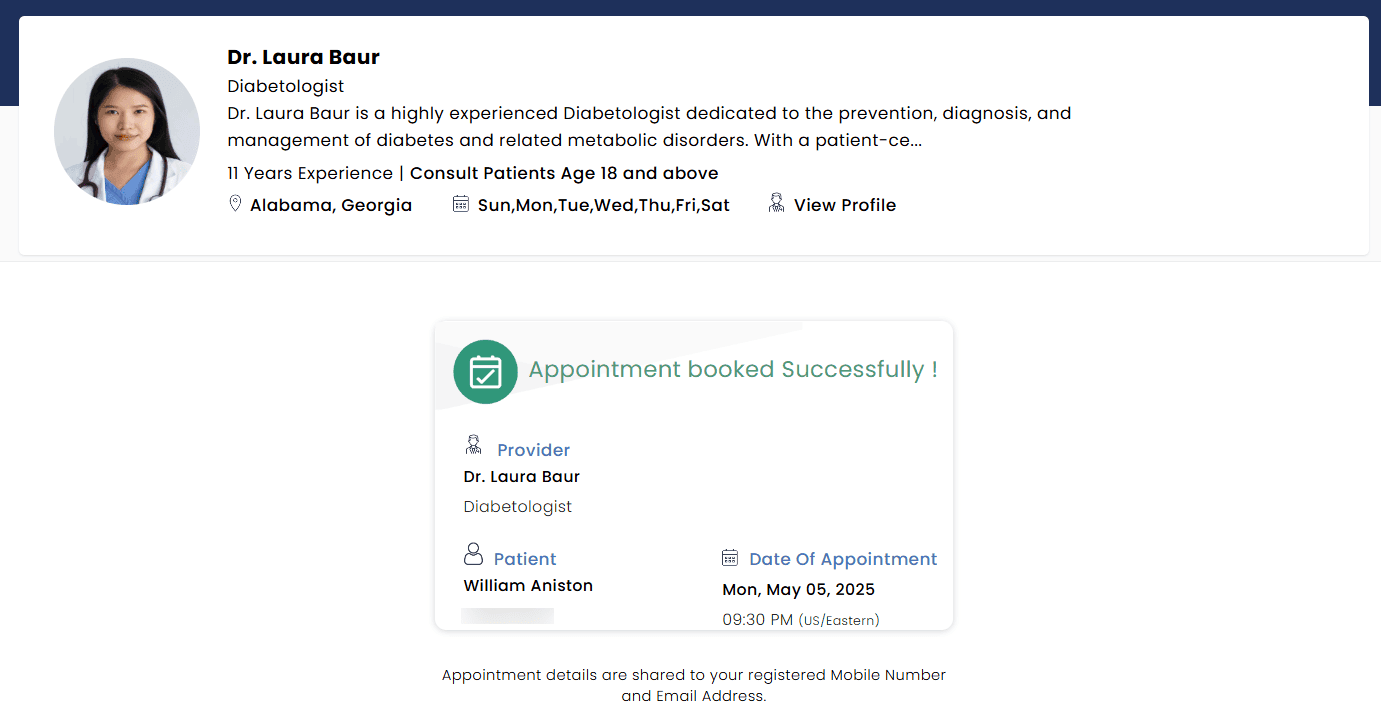
The request will then be added to the Provider’s calendar and processed based on the approval settings configured by the Practice.
- If approval is required, the appointment will be confirmed once the Provider or Practice member approves it.
- If no approval is needed, the appointment will be automatically booked.
Once confirmed, the appointment details are sent to the Patient’s registered mobile number and email address for reference.
CharmEasyCare’s Appointment Scheduling workflow simplifies the appointment booking process for both Providers and Patients. By offering personalized profiles, smart search filters, and time zone compatibility, CharmEasyCare ensures a seamless booking experience.